
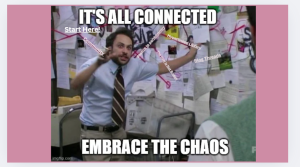
For my virtual symposium, I reviewed my notes, projects, and modules to identify my key takeaways from the semester. The theme of everything being connected reminded me of a meme, so I decided to use it as my anchoring point.
Click here to see the project and to interact with the links!
Bernadette, what a creative idea! I had a lot of fun clicking on the links. I’m sure it’s user error on my part, but I had to keep coming back to this page after each link because I couldn’t figure out how to get back to the meme any other way. But, if there’s a work around, I’ll find it.
Hi Bernadette,
When I first saw the image I laughed so hard that I choked on my tea so thank you very much for making me laugh. This reminds me of the ‘choose your own adventure’ module where we could click on links and read different articles about the types of libraries. I just wanted to give you a heads up that outside users can edit your project without consent. The way to make it public but only allow people to view it is to go to Share and under ‘Access Level’ change it to ‘can view’ from ‘can edit’ (which is the default). I think this will also fix the link issue that Sue mentioned!!!
I think I fixed the link!